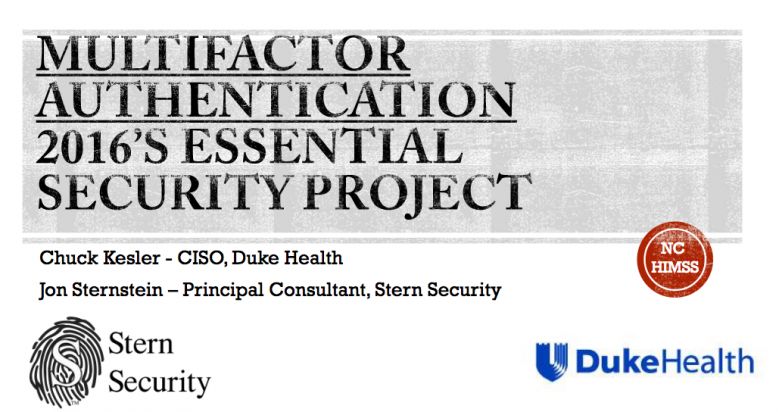
Multifactor Authentication – 2016’s Essential Security Project Duke Health’s Chief Information Security Officer (CISO), Chuck Kesler, and Stern Security’s CEO, Jon Sternstein, teamed up to present on multi-factor deployment strategies at the 2016 NC HIMSS Annual Conference.
Date: April 20 & 21, 2016
Location:
Hilton North Raleigh/Midtown Hotel 3415 Wake Forest Rd, Raleigh, NC 27609
We have compiled a list of security measures to implement to either prevent ransomware or limit the damage. Organizations need not implement all of these in order to prevent ransomware. However, these are various strategies that can be implemented depending on the company. Security measures such as “application whitelisting” will prevent most malicious software on its own. Overall, most of these strategies are best practice and should be implemented as part of a larger security framework such as the CIS Top 20 Security Controls.
Endpoint Protection – Application Whitelisting & antivirus. If application whitelisting is fully implemented, this will stop most malicious software on the computer. Application Whitelisting is a much stronger security measure than antivirus.
File Backups – Regularly store backups of important files. Test the restore process to confirm backups are viable.
User Profile Protection – Block/Whitelist execution of programs in the user profile folders.
Block/Whitelist Office Macros – Only allow signed macros by authorized sources.
Egress Filtering on Firewall – Only permit needed traffic outbound
Network Share Permissions – Restrict access to network shares to a need to know basis.
Intrusion Prevention System (IPS)
Network Segmentation
Vaccines – Ransomware will not encrypt the same machine with multiple encryption keys. In order to do this, the keys are stored in the registry. There are several programs that will create these “vaccines”.
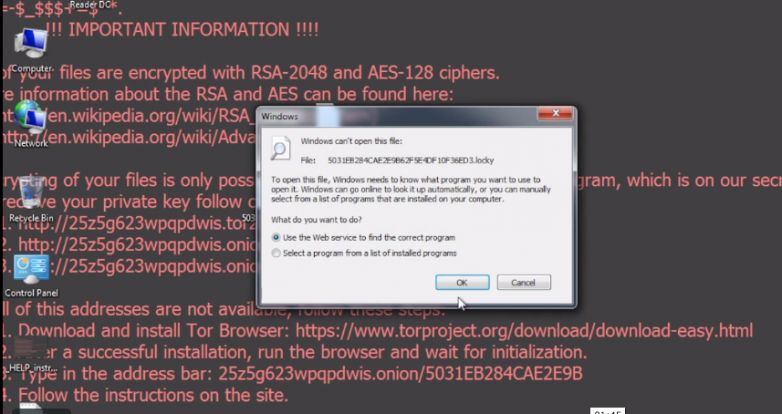
Stern Security Labs analyzed a Locky ransomware sample. The following video shows an actual Locky ransomware attack on a Windows 7 machine. Watch how fast the ransomware encrypts the files on the computer. The computer is encrypted within one minute of clicking on the malicious “invoice.pdf” file!
In February 2016, PenTest Magazine’s was dedicated to “Cloud Pen testing”. This special edition featured an article by Stern Security’s Founder, Jon Sternstein. Here is an excerpt from the article:
“A pair of eyes intently stares at the computer screen while ten fingers are furiously typing on the keyboard. The penetration tester smiles as he finds the “file upload” component of the credit union’s online banking web application. The application allows a client to upload a custom image for their credit card. Unfortunately for the credit union, they use client side checks to confirm the uploaded file is a picture file. “Reverse shell uploaded!” the pen tester says to himself as he bypasses the client side checks and uploads a reverse shell. “Now, let’s access the shell…” He browses to the upload location and waits for the shell to appear on his Kali machine.“